Restoring the Ride Exchange, part 2
(Published 27 November 2026)
This post is a follow-up to this: https://rctspace.com/restoring-the-ride-exchange-part-1
Last time, we discussed the state of the ride exchanges and what my plans were. Today, we are diving into more technical detail, as we take a look at how the track format and the previews work.
The format
RCT1, RCT2, RCT Classic and OpenRCT2 use different revisions of what is essentially the same format. This format is quite compact, with a small amount of metadata and a list of pieces to build. In total, there have been four versions.
Version 0: RollerCoaster Tycoon 1 without expansions
Just the track and some metadata, like EIN ratings and maximum speed. It also saves the special elements that were used, as RCT1 requires these to be invented first (otherwise it will not show the design). These files use the extension TD4.
Version 1: RollerCoaster Tycoon 1 with Added Attractions and/or Loopy Landscapes
Added Attractions added the ability to use up to four different colour schemes for any track. As such, the track design format had to be expanded in order to save this data. This version also uses the extension TD4, and the expansions can read track files made with the original version, but not the other way round.
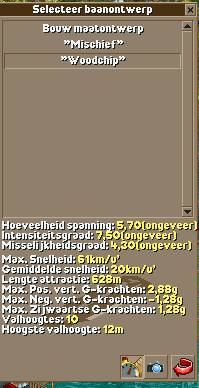
Here is a screenshot of RCT1’s track list. Note that it does not show the amount of space required. This information was not saved in version 0 and 1.
And here is a screenshot of the official Ride Exchange, showing the same information:
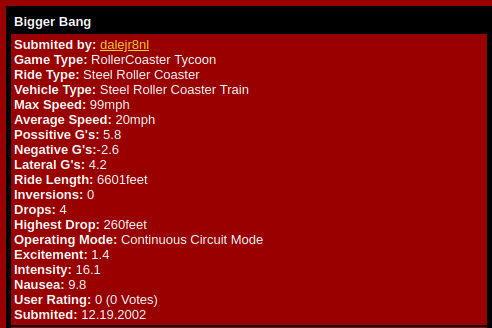
It is possible to calculate the amount of space required for RCT1 designs, as OpenRCT2 does (unlike RCT2 and RCT Classic). Outside of RCT, though, it is considerably more work. It requires processing the list of track elements and a lot of additional metadata about the size and rotation of every type of element (which you’ll have to carefully copy from RCT). Quite a lot of work, that Atari evidently didn’t consider worthwhile, as they just left out this information for RCT1 designs.
The RCTspace Ride Exchange, on the other hand, did process the list. Using this information, it could provide the user with a set of steps to build the coaster themselves, provide additional metadata and detect duplicate designs (even if they had a different colour, or were mirrorred).
Version 2: RollerCoaster Tycoon 2, RCT Classic and (usually) OpenRCT2
RCT2 massively extended the format, adding more metadata such as the space required and the amount of air time. It also notably allowed saving scenery and paths with the design. This version is always saved with the .TD6 extension. RCT Classic inherited this design, and so did OpenRCT2. OpenRCT2 will use this version when the track design fits within the limitations of it, otherwise it will use version 3.
Version 3: OpenRCT2
As previous versions only allow for up to 256 different types of track pieces, and do not support saving the speed of a block brake, OpenRCT2 introduced version 3, with the extension .TD7. It is a relatively new addition, and not many tools exist for it yet. It is not difficult to add support for it, though, as the changes were deliberately kept to a minimum. If that tool only checks metadata, then it’s just a one-line change. If the tool also processes the track pieces, then it will also need to add information about the new track pieces that OpenRCT2 added.
The structure
The first step when processing track designs is to decompress them. You will then end up with a few distinct sections.
- Metadata, such as the ride type, ride mode, as well as statistics like excitement rating, average speed, and ride and vehicle colours.
- The track pieces, in building order, usually starting with the end of the first station. (Mazes follow a slightly different format. They also store the entrance and exit in this area.)
For versions 0 and 1, that is all. For version 2 and higher, it also contains this:
- Entrance and exit pieces (not for RCT1)
- Scenery pieces, with coordinates on where to build them (not for RCT1)
- Path pieces, with coordinates on where to build them (not for RCT1)
In addition to saving designs of tracked rides, OpenRCT2 and RCT Classic also allow saving track designs of flat rides with scenery. This might trip up some tools, though I haven’t tested that. We will revisit this at some point, but for now, we have to concentrate on stuff that affects all designs.
Previews
Just having a name and some stats is a bit meagre. Having a preview would be nice. Chris Sawyer was well aware of this. For RCT1, he devised the .TP4 file format, which provided a 254×200 pixel picture which could be shown if the user clicked the button with the camera icon:
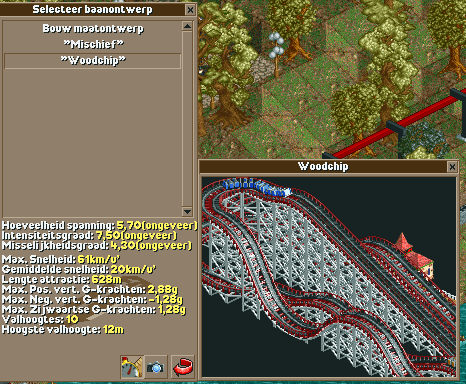
This file needs to have the same filename (apart from the extension) as the track design they belong to.
This approach was not without its drawbacks. The most important drawback was that your own designs would not have a preview, and that making one was outside the reach of the average user. There was never official support for it. DoctorJ managed to reverse-engineer the format eventually (thankfully, it was not obfuscated, just a bit weird) and rcthelp made the RCT PiNGer tool.
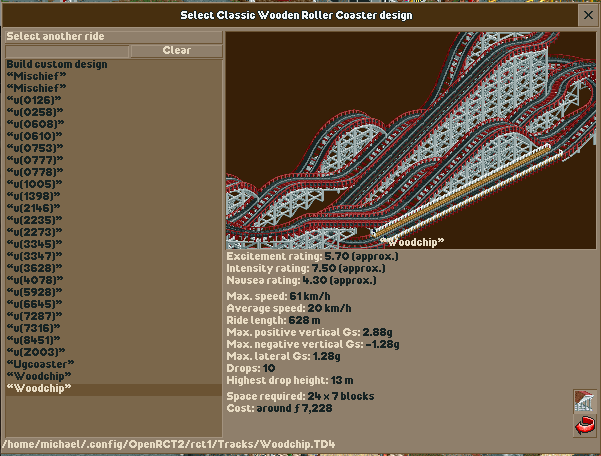
In RCT2, this was thankfully improved by the game drawing a preview automatically. We can see that here in OpenRCT2.
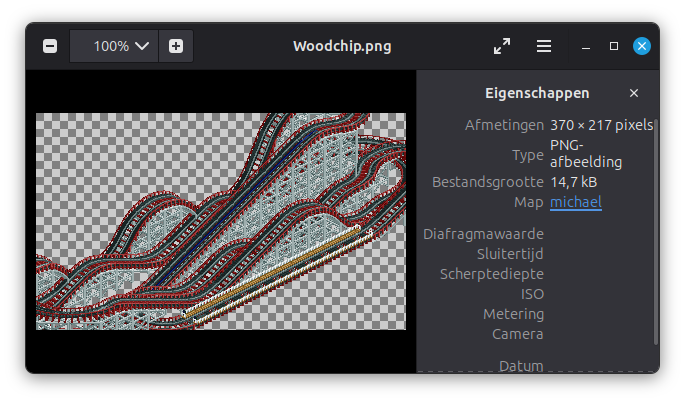
In our rebuilt Ride Exchange, we also want previews, not just a table with dry statistics. RCTspace’s Ride Exchange solved this by allowing the user to upload a screenshot along with the design. This of course helps for new uploads, but as you may remember from the previous post, we have about 65,000 older track design files we want to generate a preview for in our rebuilt Ride Exchange. And OpenRCT2 can already draw a preview for any given design. It would be nice if we could export that, right? Well yes, I would agree. As such, I added a console command that takes a track file, renders a preview, and saves that preview to a PNG file. This was added in PR 27420 (which will be in OpenRCT2 v0.5.8).
If we run this on the Woodchip design, we get this. Note that the chequered background just means that part is transparent, it is not actually part of the image:
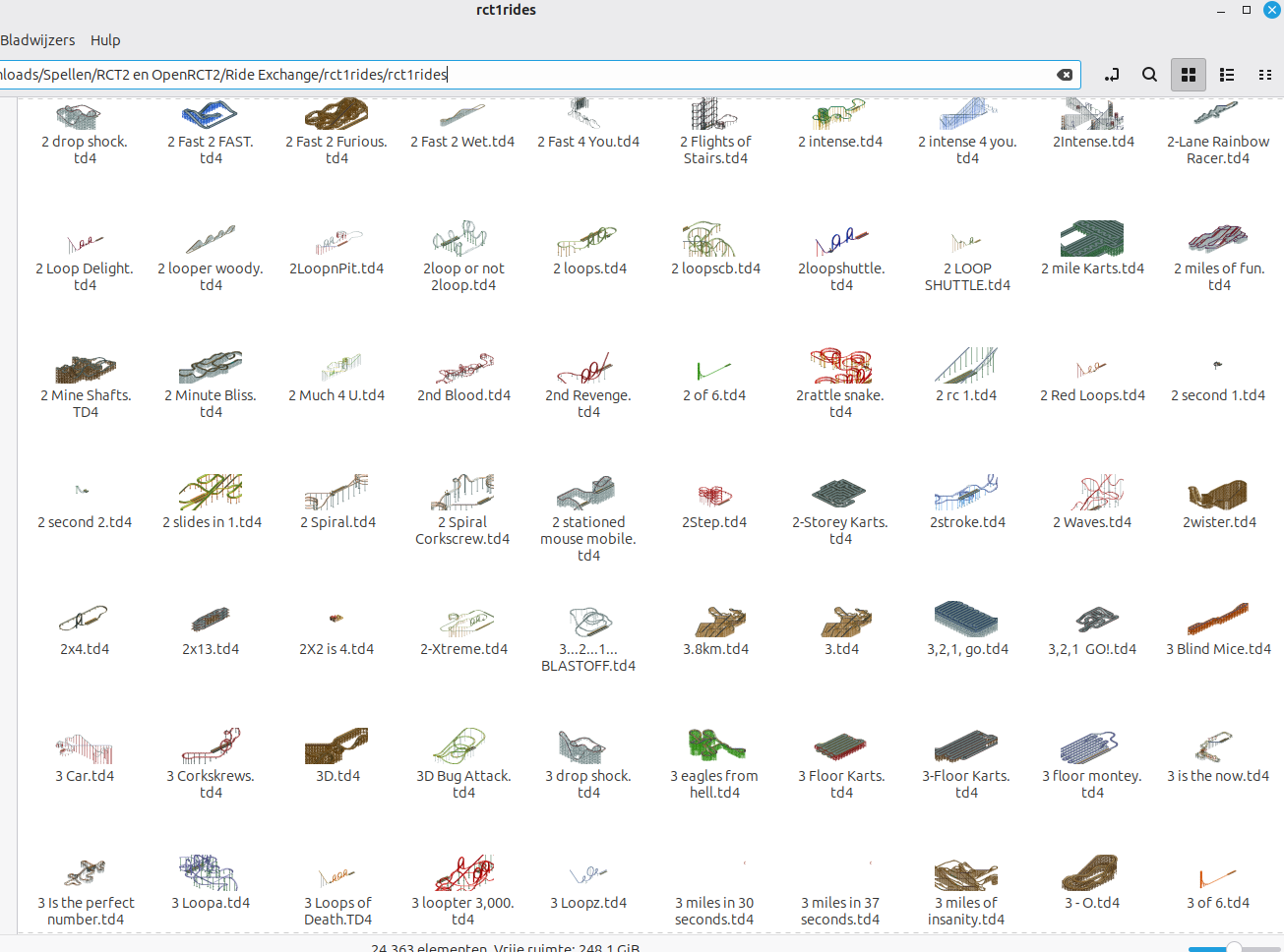
Just for fun, I wired up a thumbnailer for track designs, which had a spectacular effect when browsing the backed-up track designs:
Conclusion
We are now able to generate a preview for our track designs. It currently is exactly the same as the preview in the ride list, from the size of the preview to the zoom settings. As we go along, we may want to introduce some knobs to tweak this and improve the quality. It is, however, already a big improvement over no preview at all, and more than good enough for now.
We still have lots to do or think about, though:
- We haven’t actually extracted any metadata yet. Ideally, we want to provide every statistic that RCTspace managed to provide, and not just the easily accessible parts. As mentioned earlier, RCTspace managed to calculate the space required for RCT1 designs and even printed out a list of instructions to build the ride yourself. You may also remember that I said it was hard to do outside of RCT. So how did it pull that off?
- As RCT1 does not autogenerate a preview, can we generate a TP4 file ourselves?
- Can we find back the information about the original author, upload date etcetera? This information is not saved in the files after all.
- How are we going to set up a pipeline to process all files automatically and make them easily accessible?
That, however, is for future episodes.